Becoming a User
Before reserving lab classrooms or equipment, you must first be a registered user in our LAB RESERVATION CALENDAR. Please send an email to LaShanda (polyglot@pitt.edu), including your affiliation (department, language program) and status (faculty, grad student) with a subject line "New user registration request". You will then receive an email with log-in instructions.
Making and Updating Reservations
Instructors and researchers may make a reservation through the "LAB CALENDAR & RESERVATION" gateway linked on the right (→). After logging in, you will see the top yellow log-in box now displaying links to your reservations and your account info.
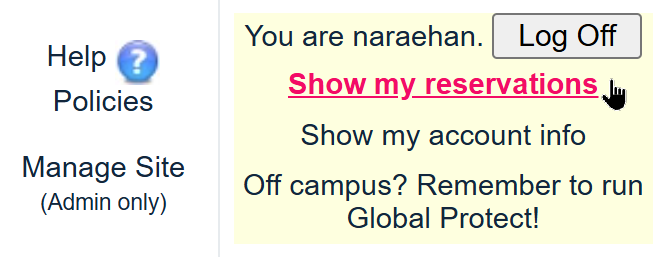
Clicking it will take you to a pre-filled reports page; click the "Run Report" button at the bottom to display all your upcoming reservations. From there, you can make updates to your existing reservations. To make new reservations, click on a desired time slot on the calendar and enter your class information.
Forgot your Password?
Please send an email to LaShanda (polyglot@pitt.edu), and she will reset your password and send you an instruction email. If you are on campus, you can also drop by the center and ask the staff to reset your password on the spot.
Off-Campus Access: Using Global Protect
Due to security reasons, access to LMC's reservation calendar is restricted to on-campus. This means users may encounter this "Server Error" message when trying to open the calendar while working from their home:

To get around this problem, please install and use PittNet VPN, also known as Global Protect. Instructions:
- Windows and Mac installation
- Mobile phones: iPhone installation, and Android installation

Once your computer has Global Protect running, it makes it as if you're on Pitt Campus as far as internet traffic is concerned, and LMC's reservation calendar should be accessible from anywhere. Pitt Digital recommends using Global Protect for security purposes.
If you need help with Global Protect, please stop by LMC with your laptop, we're happy to help!